Labor cost library
Labor, straight off the drawing.
Labor quantities come straight from the actual design and price against your own rates, by hours or subcontractor cost per unit.
The moment you draw the deck, the takeoff is done, and so is your estimate. Labor, materials, overhead, commission, and margin roll into a polished, client-ready proposal instantly. No separate tool. No more Wild Ass Guessing (WAG) pricing.
14-day free trial · No credit card
How it works
Materials flow straight from the takeoff, and labor comes off the drawing, both generated from the drawing and priced against your rate cards. Your margin, commission, and overhead then roll in to give the final customer number.
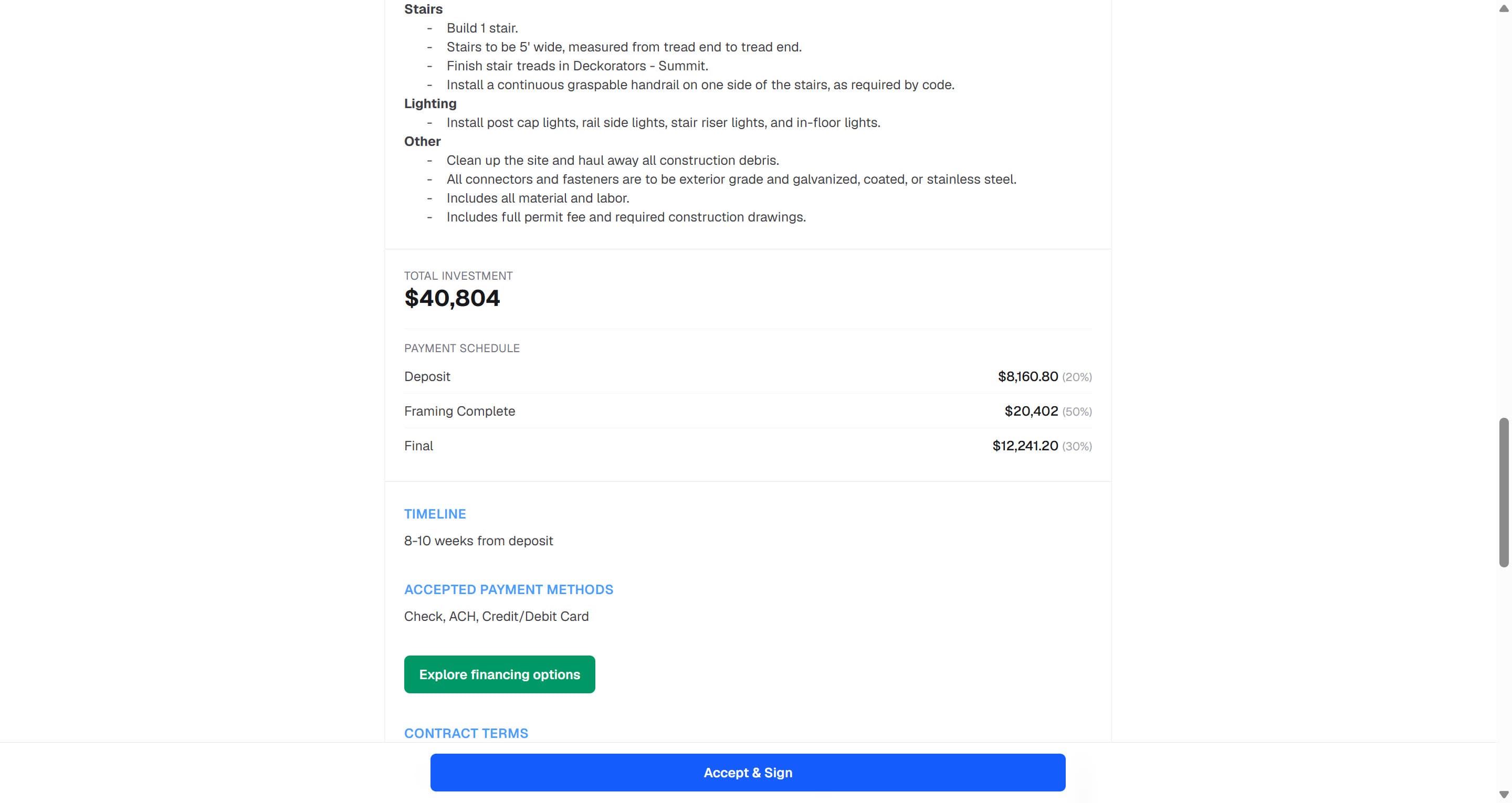
Add upgrades and finish options, a scope of work, payment milestones, and your contract terms, with a 3D hero shot of the deck front and center. On the proposal, the homeowner can swap decking and railing on the fly and watch the price update in real time.
Send a link, track every open and view, and let the homeowner sign right on the page. The signed choices sync back into the design automatically.
The pricing engine
Every board, hour, and add-on is accounted for, so you're not eating costs you forgot to quote.
Labor cost library
Labor quantities come straight from the actual design and price against your own rates, by hours or subcontractor cost per unit.
Margin, markup & tax
Price on margin or markup, set sales commission on price or profit, and apply optional sales tax by category, the way your business actually books a job.
Guardrails
Discount caps and a margin floor mean a salesperson can't quote below your line. Over-limit discounts route to your company's admin(s) for approval instead of eating the profit.
Upgrades
Present upgrades like premium decking or an upgraded railing right on the proposal. As the homeowner picks, the price and the 3D rendering update live, so the client's choice isn't you versus another company, it's which decking/railing versus another; the sale stays yours either way.
Close the same day
Clients can ask questions directly within the proposal with DeckBuild's built-in client messaging. Then the homeowner signs right on the shared page (typed or drawn), you countersign, and DeckBuild appends a signed certificate with both parties' names, timestamps, and a tamper-proof cryptographic fingerprint of the exact signed document for a legally binding agreement.
What the client sees
The proposal PDF leads with a 3D hero shot, and the client page lets the homeowner spin their actual deck in interactive 3D. As the client selects different decking and railing upgrades, the final price and the payment-milestone schedule adjust automatically. An optional financing link can also be attached right on the proposal.
Run the whole pipeline
I used to lose two nights a week on estimates and still second-guessed my numbers. Now the proposal is done before I leave the kitchen table, and I know my margin is protected.
Dave R.
Start your free 14-day trial, draw a real deck, and send a priced, client-ready proposal with a 3D hero and e-signature built in. No credit card required.